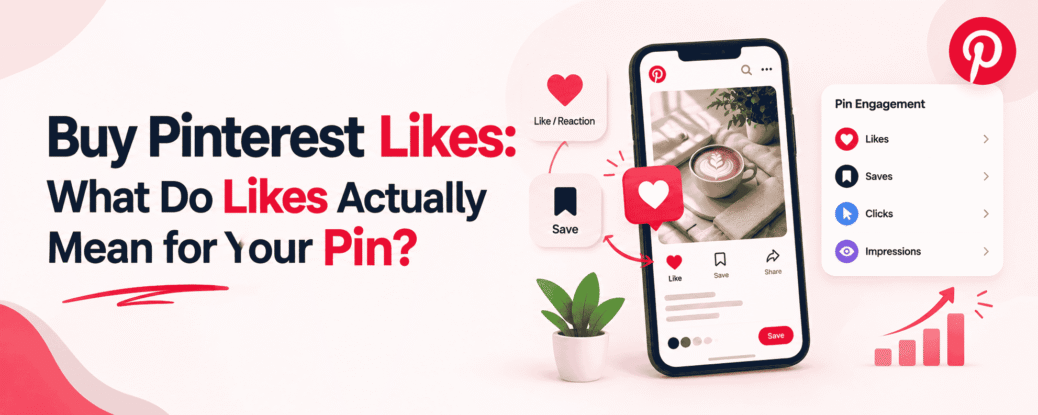
What is a Pinterest Like? A Like on Pinterest is a positive reaction a user can give to a pin. Simply put, when someone likes a pin, they signal to the creator that they enjoyed the Pin or had a positive reaction to the content. This is why people consider buying Pinterest likes.
This reaction occurs only at the pin level. It does not necessarily mean the user has followed the creator’s profile, saved the Pin to their board, or opened a link associated with the Pin.
On Pinterest, these activities reflect different intentions:
- Like: The user gave a positive reaction to the Pin.
- Save: The user saved the Pin to their board to keep it for later.
- Click: The user showed interest in opening the Pin or its connected destination.
- Follow: The user decided to follow the creator/profile for future content.
Therefore, it is incorrect to view a Pinterest Like as a substitute for a Follow, Save, or Click. Each action reflects a different user intent.
A Like Tells You
“Someone reacted positively to this pin.”
A Save Tells You
“Someone found this pin useful or worth keeping, so they saved it to their board.”
A Click Tells You
“Someone wanted to explore the pin’s content, link, or destination further.”
Why a Pinterest Like Is Not the Same as a Pinterest Save
Users don’t perform just one type of action with a pin on Pinterest. They might react to, save, or open the Pin, visit an external website, or follow the account. These actions have different meanings, and Pinterest Analytics treats them as distinct engagement signals.
Thus, we should not equate a Pinterest Like with a Pinterest Save. A Like generally indicates a quick positive reaction, whereas a Save means the user chose to keep the content on their board for future reference.
Reaction
A reaction is a quick positive response. A user signals that they like a Pin, but this action does not necessarily mean they have saved it to their board.
Save
Saving reflects a more long-term intent. A user saves a Pin to their board so they can view, organize, or reference it again later.
Pin Click
A Pin Click means the user has opened the Pin to examine it further—for instance, by visiting a website or webpage. This is a traffic-oriented action, not merely a reaction to the Pin itself.
Follow
Following is an account-level audience action. It involves the user establishing a connection with a creator or account to see future content. This differs from reacting to an individual Pin.
Why Do People Buy Pinterest Likes?
People buy Pinterest likes for various reasons, but the primary goal is usually to make Pinterest engagement appear stronger. Visible likes on a Pin can give new visitors the impression that the content has already garnered a positive response.
However, likes should not be viewed as a shortcut to guaranteed reach, impressions, or traffic. Buying likes and genuine audience engagement are two different things.
To Increase Visible Engagement
Some users want to increase Pinterest likes to make the visible engagement on a Pin appear stronger. When a Pin has a higher number of likes, it can appear more active or positively received at first glance.
This can be a way to improve perceived Pinterest engagement, especially for new accounts or recently published Pins.
To Give a New Pin More Social Proof
It is normal for a new Pin to have low initial engagement. Some creators purchase likes to build social proof on Pinterest, hoping that visible activity makes the content appear more established.
However, the effect of social proof may be limited to audience perception. Purchased likes do not prove that real users genuinely found the content useful, saved it, or visited the website.
To Support a Larger Pinterest Campaign
Sometimes, likes are just a small component of a broader Pinterest marketing campaign. A creator might be testing multiple Pins, creatives, topics, or promotional approaches and view visible engagement as part of the overall campaign picture.
In this situation, likes should not be treated as a standalone measure of campaign success. Saves, Pin Clicks, Outbound Clicks, and other meaningful engagement signals are also important.
To Experiment With Different Pin Strategies
Some creators experiment with different designs, topics, headlines, or visual styles. Purchased likes can be considered part of a testing strategy, particularly when comparing how Pins look or perform in terms of visible engagement.
However, higher like counts alone do not establish which Pin will genuinely perform better. Real audience behavior—especially saves and clicks—can provide more meaningful context for evaluating the strategy.
How to Buy Pinterest Likes
If you are looking into how to buy Pinterest likes, understanding the process through simple steps is helpful. Before purchasing Pinterest likes online, you should carefully check the service’s terms, delivery details, and the Pin URL.
Step 1: Choose the Pin
First, decide which Pin you want to get likes for. Selecting the correct Pin is important, especially if your account has multiple published Pins.
You can also consider the Pin’s current performance when making your choice. If a Pin is already generating impressions, saves, or clicks, it is easier to understand its existing engagement context.
Step 2: Select the Likes Package
Next, select a suitable package from the available Pinterest likes services. When comparing packages, do not focus solely on quantity; check these details as well:
- Quantity: How many likes are included?
- Price: What is the total cost?
- Delivery: What is the promised delivery timeframe?
- Terms: What are the service conditions, limitations, and replacement/refund policies?
Packages and terms vary among providers, so it is sensible to read the details before purchasing.
Step 3: Enter Your Pin URL
If the service requires a Pin URL, enter the exact URL for the specific Pin. It is helpful to open and verify the URL again before submitting the order.
This step is crucial because entering the wrong URL could result in the order being processed for a different destination instead of the intended Pin. Also, ensure you are using a correct, publicly accessible Pin link.
Step 4: Review Your Order
Carefully review the order details before making the payment or final submission:
- Pin: Is the correct Pin selected?
- Quantity: Is the number of requested likes correct?
- Price: Is the final amount what you expected?
- Delivery details: What has the provider specified regarding delivery?
If any detail seems unclear, it is better to check the provider’s terms before completing the order.
This will help you boost your like count, going beyond just organic Pinterest engagement. A higher like count in itself guarantees that the pin will receive greater reach, more clicks, and more followers.